
Join thousands of users earning the highest cash back and commission at over 36,000 stores and brands.
How Long It Takes Google To Remove A Review And How To Use That Window
Learn how Google’s review removal timeline really works so you can protect your funnel and keep customers engaged while you wait.
Why timing matters more than you think
Negative reviews hit hard. One bad comment on your Google Business Profile can scare off searchers, drag down click through rates, and spike customer questions.
When you flag a review that breaks Google’s policies, the next question is simple. How long will this take?
In most cases, review investigations are not instant. They can take days or even weeks. During that time, real people are still seeing the review and making choices about your business.
This guide breaks down what usually happens after you report a review, how long each step can take, and what you can do during that window to protect trust. You will also see ways to turn this waiting period into a smart remarketing and retention moment, instead of a dead zone you just hope will pass.
What is Google review removal?
Google review removal is the process of asking Google to delete a review that breaks its content policies. This usually happens when a review is fake, abusive, irrelevant, or clearly conflicts with Google’s rules.
As a business owner, you cannot delete reviews on your own. You can:
- Flag the review to Google for policy violations
- Respond publicly to explain your side
- Gather more positive reviews to offset the impact
If Google agrees that the review breaks its rules, it may remove it from your profile. That can happen quickly or it can take time. The key parts of the process are:
- Identifying a clear policy violation
- Submitting a flag or dispute request
- Waiting for Google’s moderation team to review
- Receiving an outcome and next steps
How Google’s review removal process works
Once you flag a review from Google Business Profile, a behind the scenes workflow starts. It is mostly automated at first, then often includes a human review.
Here is how it usually works:
-
Automatic screening: Google’s systems check for obvious spam, profanity, or clear policy violations. Some reviews disappear within hours if they are easy to classify.
-
Queue for manual review: If the case is less clear, it goes into a moderation queue. A person may need to read the review, compare it to the policies, and look at your past reports.
-
Decision and action: If the moderator agrees with your report, the review is removed or may be filtered out over time. If not, the review stays up.
-
Optional appeal: In some situations, you can submit another report with more details or supporting evidence.
Understanding typical google review removal time can help you decide what to say in your public response, how quickly to collect new feedback, and when to adjust your marketing campaigns to reduce damage while the case is pending.
Typical timelines for review removal
Every case is different, but many businesses see timing fall into a few common ranges.
Fast removals: same day to 48 hours
These are often clear policy violations, such as:
- Hate speech or graphic threats
- Obvious spam or “test” reviews
- Duplicate posts from the same profile
In these cases, automated filters and quick manual checks can catch the problem and remove it in a short window.
Standard cases: 3 to 7 business days
Most disputes fall in this range. Examples include:
- Reviews that mention the wrong company
- Personal attacks on staff
- Revealing private information
- Complaints from people who were never customers
These cases may need a human to look at details, which takes more time.
Complex or borderline reviews: 2 to 4 weeks
Slower cases often involve:
- Reviews tied to ongoing legal disputes
- Allegations of fraud that are hard to verify
- Situations where both sides share conflicting stories
Here, the moderation process can be slower, and some reviews may never be removed if they are treated as “opinions” rather than rule violations.
Did You Know? Many customers see your response to a negative review before Google finishes its investigation. What you say during that waiting period can matter as much as the final outcome.
What to do while you wait for Google’s decision
This waiting window is not empty time. It is a chance to protect your brand and reassure both new and existing customers.
1. Post a clear, calm public response
Use your response to:
- Show empathy
- Correct any clear factual errors
- Invite the reviewer to talk privately
For example:
“We are sorry to hear about your experience. We take these concerns seriously and want to learn more. Please contact us at [email] so we can review what happened and try to make it right.”
Avoid arguing, blaming, or sharing detailed private information about the customer. Your goal is to look steady, professional, and focused on solutions.
2. Activate review generation from happy customers
One strong way to reduce the impact of a bad review is to surround it with honest positive ones. During the review investigation window, you can:
- Ask recent happy customers to leave feedback
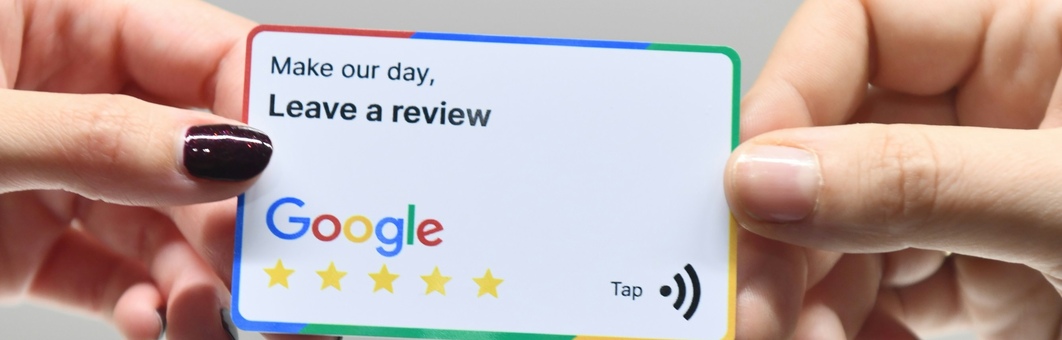
- Add a short review link to follow up emails or receipts
- Have frontline staff invite satisfied clients to review on the spot
Focus on timing and relevance. Ask right after a good service experience, not months later.
3. Adjust your local search and remarketing campaigns
If a serious negative review appears, you may notice a dip in calls or form fills. While you wait for Google’s action, you can:
- Update ad copy to highlight guarantees, warranties, or refund policies
- Point some traffic to a dedicated landing page with testimonials and case studies
- Use remarketing ads to stay visible to people who visited your profile but did not convert
This way, the review is not the last word they see from your brand.
4. Train your team on what to say
When a negative review appears, your staff will get questions. Equip them with:
- A simple explanation of what happened
- A clear script for how you are addressing it
- A path for customers to share concerns directly
Tip One consistent talking point across your team can do more to build trust than any single reply on Google.
Benefits of managing the review removal window well
Taking action during the waiting period gives your business several important advantages.
-
Stronger brand perception: Customers see that you take feedback seriously and respond with care.
-
Better conversion rates: Updated landing pages, social proof, and remarketing can keep leads from dropping off.
-
Improved internal processes: Handling tough feedback often reveals areas where service can improve.
-
Higher quality review profile: Encouraging happy customers to speak up makes your overall rating more resilient.
Key Takeaway You cannot fully control how long Google takes to act, but you can control how your business shows up to customers in the meantime.
How much does professional review help cost?
Some businesses handle review disputes on their own. Others hire outside help to guide strategy, flag violations, and manage communication.
Costs can vary depending on scope:
-
Self service tools: Many platforms offer review monitoring in the range of 50 dollars to 300 dollars per month.
-
Specialized review removal services: These may charge per case, per month, or as part of a broader reputation package. Pricing can range from a few hundred dollars up to several thousand dollars for complex, high risk situations.
-
Legal support: In rare cases involving serious defamation, you may need an attorney. Legal fees can be high and timelines much longer.
Common factors that influence price include:
- Number of locations and profiles
- Volume of reviews to monitor and dispute
- Whether you need hands on writing, outreach, and reporting
- The urgency and potential damage if reviews are not addressed
Before you spend, map the potential impact on revenue. For example, a one star drop in rating can significantly cut conversions in some industries. In those cases, professional help may be cheaper than lost business over time.
How to choose the right support for review disputes
If you decide to get outside help, use a simple process to pick a partner.
1. Define your goals and risk level
Goal setting: Are you trying to fix one crisis review, or do you need ongoing review monitoring and response management?
Risk level: Are there legal issues or sensitive claims that require attorney input, or is this a typical customer complaint that fits within standard platform rules?
2. Check experience with your platform and industry
Look for providers who:
- Understand Google’s review policies in detail
- Have worked with businesses similar to yours
- Can share anonymous examples of past review disputes and outcomes
Ask how they track timing, outcomes, and trends across different types of cases.
3. Review their process during the waiting period
A good partner will talk clearly about what they do while Google is reviewing a case, such as:
- Drafting public responses and follow up messages
- Advising on remarketing and local SEO adjustments
- Helping you plan offers or service fixes to reduce churn
Tip Avoid any provider who promises fast guaranteed removals in every case. Google does not offer guaranteed outcomes, and neither should a third party.
4. Compare costs, contracts, and communication
When you review proposals, pay close attention to:
- Contract length and cancellation terms
- How they share reports and timing updates
- Whether pricing is simple and transparent
You want a partner who treats review disputes as part of a wider customer trust strategy, not a one time quick fix.
Red flags when dealing with review removal promises
Not every service in this space plays fair. Watch out for warning signs such as:
-
“Guaranteed removal in 24 hours” claims: No one can promise this in every case.
-
Requests to create fake positive reviews: This breaks platform rules and can lead to account penalties.
-
Lack of written process: If a provider cannot explain how they flag, track, and report on disputes, be careful.
-
Pressure tactics: High pressure sales or “today only” pricing offers can signal misaligned incentives.
-
No mention of policies: A trustworthy partner will reference Google’s published rules, not vague “insider methods.”
Staying away from these red flags can save your business money and prevent more damage in search results.
Review removal timing FAQs
How long does it usually take Google to review a flagged review?
For many businesses, the first pass happens within a few days. Simple spam or clear abuse may disappear within 24 to 48 hours. Harder cases can take one to two weeks or longer, especially if there are legal or factual issues that are hard to verify.
What should I do if Google does not remove the review?
If your request is denied, you still have options:
- Share a calm, professional public response
- Gather more positive reviews to reduce the impact
- Review your internal processes to address the issue if it is valid
- Talk to a reputation specialist or attorney if the review is clearly false and harmful
Even when the review stays up, how you respond can influence what future customers think.
Can I speed up the review process?
You cannot force Google to move faster, but you can:
- Make sure your report clearly explains how the review breaks a specific policy
- Provide any requested evidence quickly
- Avoid sending repeat reports that add no new information
A clear, focused report is more helpful than multiple vague complaints.
Should I contact the reviewer while Google is investigating?
In many cases, a direct, respectful outreach can help. You can:
- Apologize if something went wrong
- Offer to fix the issue or provide a refund where appropriate
- Ask them to update their review if you reach a resolution
Do not pressure or threaten the reviewer. Any hint of coercion can backfire and may even break platform rules.
Use the waiting window as a strategy window
Google’s review removal process is not instant, and the timing is not fully in your control. What you can control is your plan.
By understanding how the process works, setting realistic expectations for timing, and taking smart steps during the waiting period, you can protect your reputation, support your team, and keep customers on board.
Treat every flagged review as two parallel tasks. One is the formal dispute with Google. The other is your ongoing work to communicate, repair, and reassure. When both move together, your business is in a much stronger position, no matter how long the final decision takes.